
ESP • AIMBOT • RADAR
Hunger Cheats 2026
This is the Elysium Hunger cheat: aimbot, ESP, 2D radar and no recoil in one menu with six tabs. The Hunger aimbot runs on a key you pick, with smoothing and an FOV circle you can size yourself. The Hunger ESP marks players, zombies and loot through walls. Buy it and the key and loader land in your account right away.
Hunger Cheats Features
| Aimbot & Radar | ESP & Visuals | Loot & Misc |
|---|---|---|
 Enable Aimbot Enable Aimbot |
Player ESP |
Loot ESP |
|
Custom Aim Key |
Zombie ESP |
Chest & Crate ESP |
|
Smooth Track |
Box & Skeleton |
Loot Distance |
|
Smooth Factor |
Name, Health & Distance |
No Recoil & No Sway |
|
Aimbot FOV |
Held Weapon |
Infinite Ammo |
|
Show FOV |
Snaplines |
Instant Hit |
|
Aim Distance |
Team Check |
Rapid Fire & Auto Shoot |
|
2D Radar |
ESP Colors |
Full Bright |
Hunger Cheat Screenshots
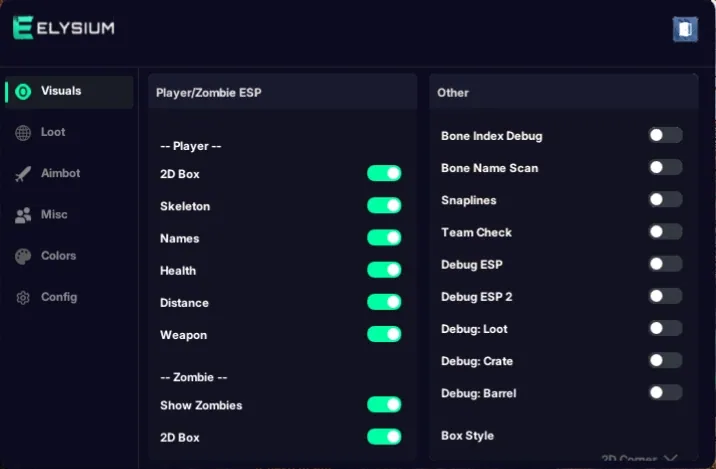
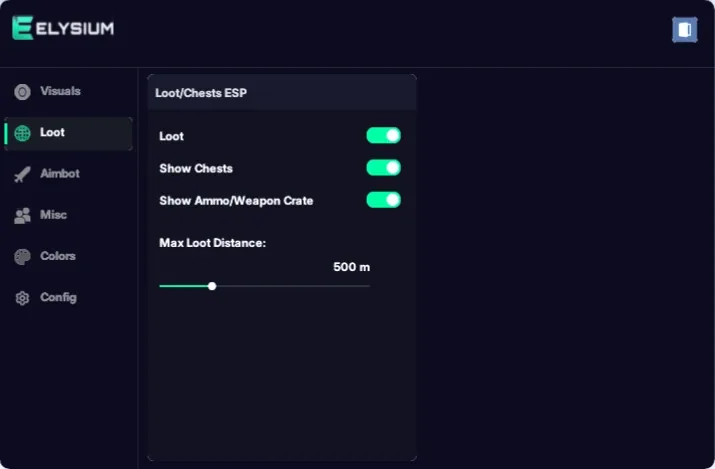
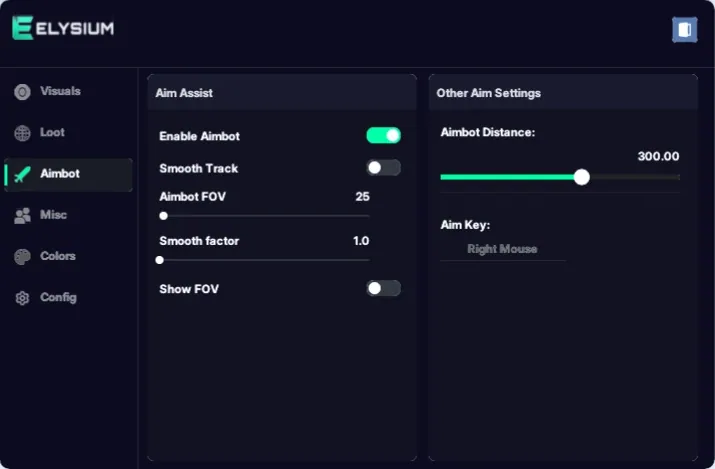
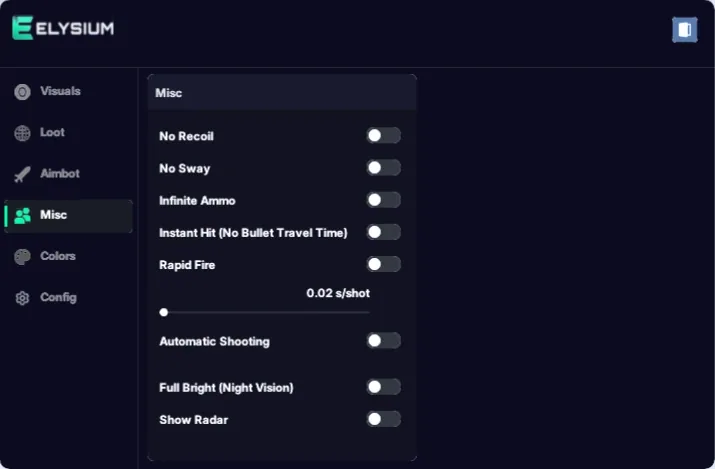
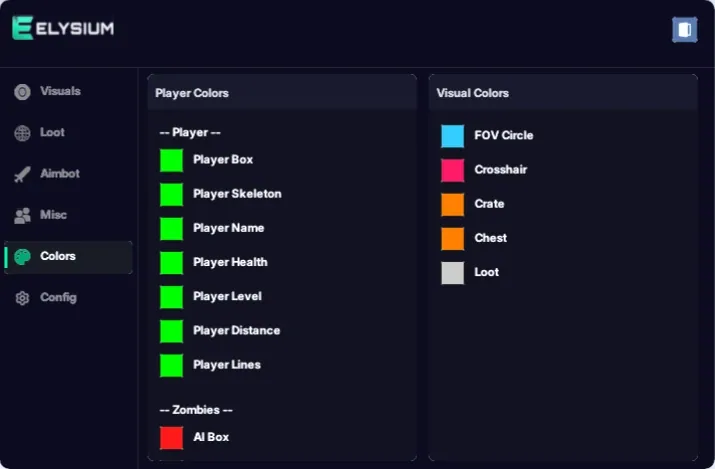
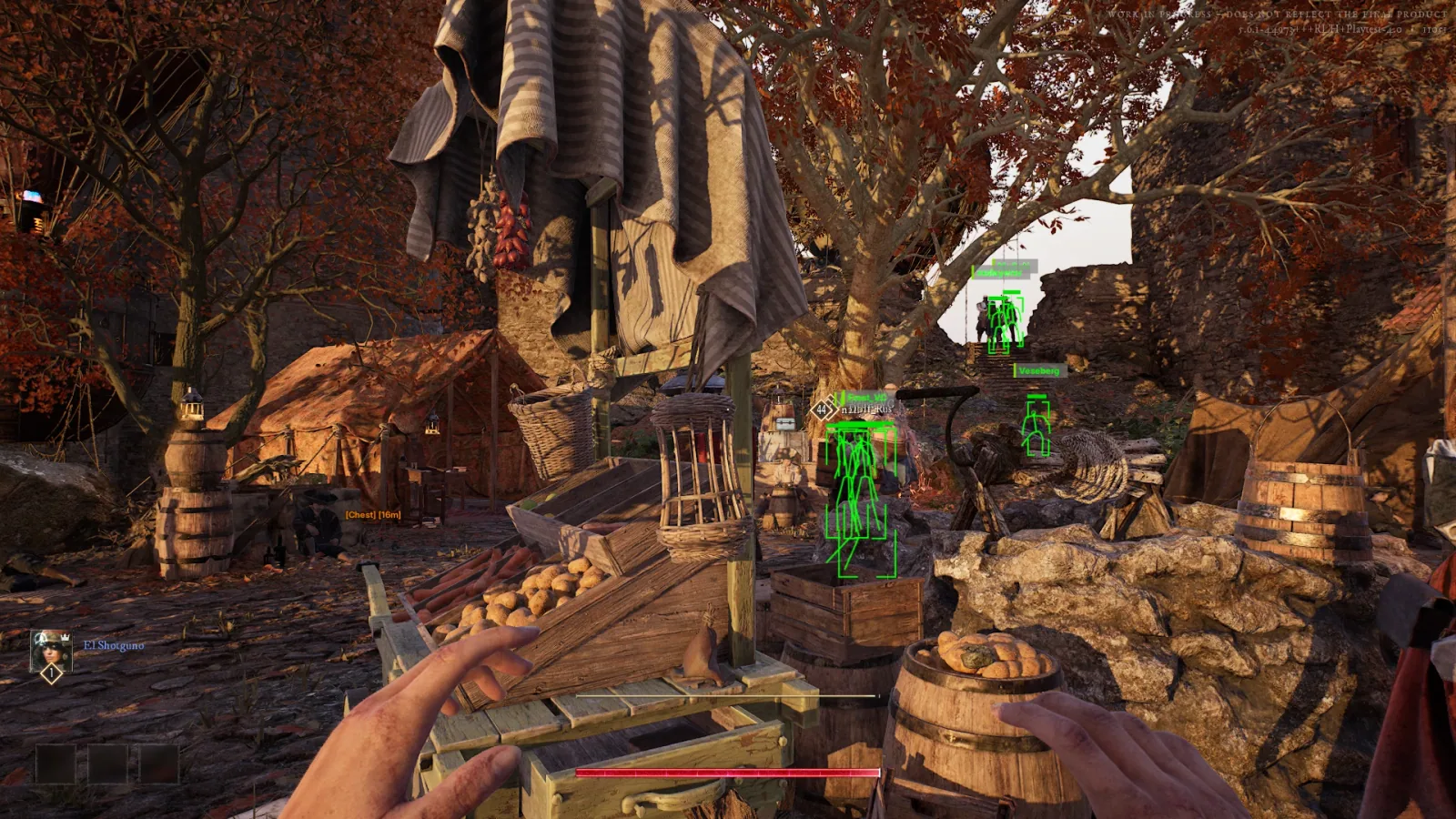
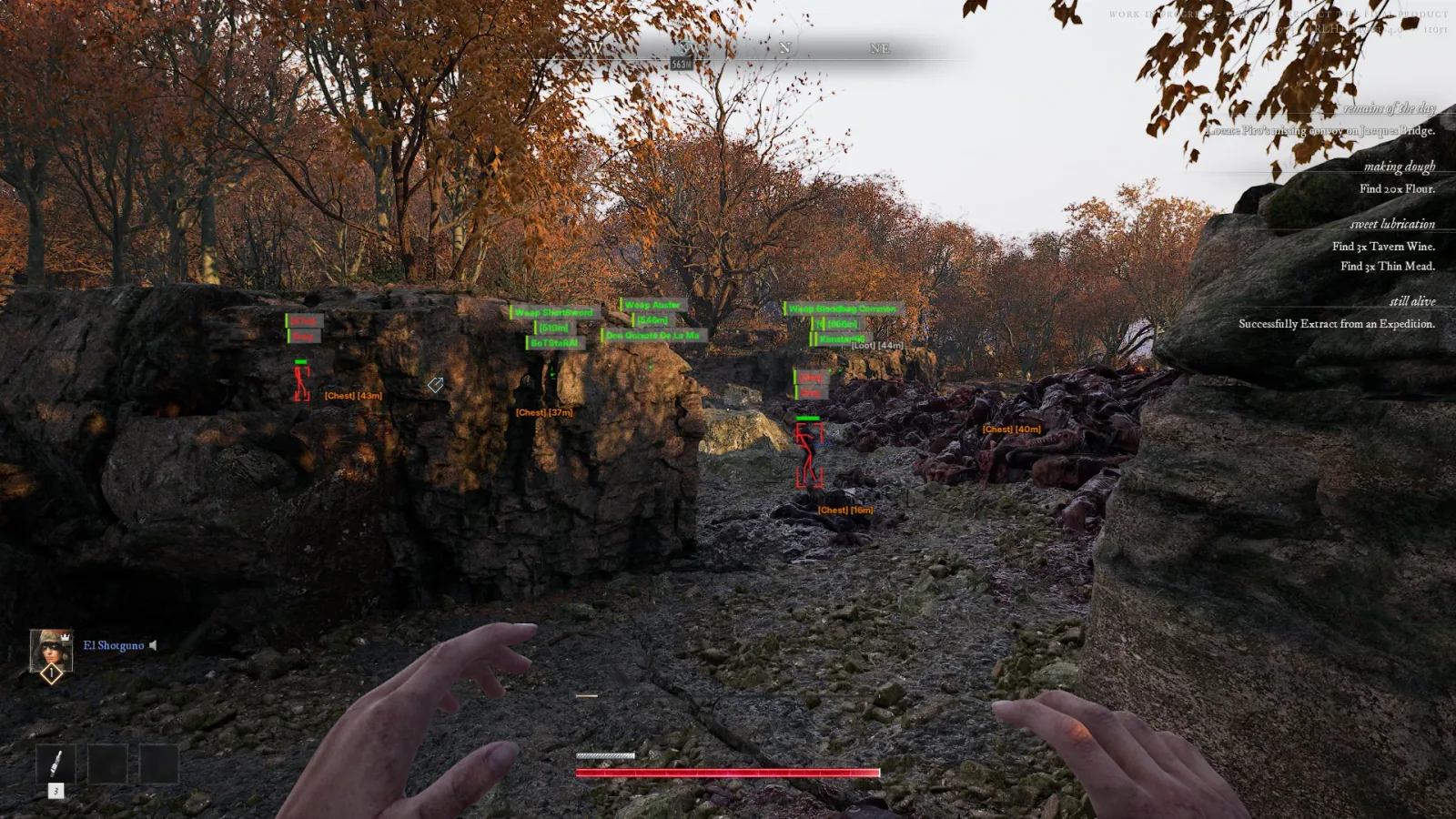
Straight from the Hunger cheat: the Visuals, Loot, Aimbot, Misc and Colors tabs, plus two in-game ESP shots.

What the Hunger cheat does for you
Hunger is an extraction game. You drop in, grab what you can, fight zombies and other players, and try to get out with the loot. Die once and everything you carried is gone. A Hunger cheat flips those odds:
- Spot players, zombies and loot through walls before they spot you
- Let the aimbot do the aiming: smoothing and an FOV circle keep it human
- Track everyone nearby on the 2D radar
- No recoil, no sway and infinite ammo: your gun just works
What you need to run it
- The game: Hunger.
- Windows 10 or 11, any version.
- Intel or AMD CPU.
- Borderless or windowed mode.
- Loader, menu and key all come with your order.
- Six menu tabs: Visuals, Loot, Aimbot, Misc, Colors, Config.
Play smart
Hunger is online only. Players can report you, and a ban means that account is gone. Cheating always carries some risk, so keep it low:
- Use smoothing and a small FOV. Aim that snaps instantly is what gets reported.
- Game updated? Check the status page before you jump back in.
- Don't cheat on an account you'd hate to lose.
When a patch breaks something we fix it and put out a new loader. The status page always shows where things stand.
Hunger ESP: Players, Zombies & Loot
The Hunger ESP is split over two tabs. Visuals handles players and zombies. Loot handles chests, crates, barrels and ground loot.
ESP Features
- Player ESP: every player shows through walls.
- Box & Skeleton: a box and a skeleton on each player, in the box style you pick.
- Name, Health & Distance: who they are, how hurt they are, how far they are.
- Held Weapon: the gun they're carrying.
- Zombie ESP: zombies get their own 2D box.
- Snaplines & Team Check: lines from your screen to each player. Your team is skipped.
- Loot ESP: loot, chests, ammo crates, weapon crates and barrels. You choose how far it renders.
- ESP Colors: one color per element, all picked by you in the Colors tab.
The Hunger Aimbot
Everything aim related sits in the Hunger aimbot tab: FOV, smoothing, aim key, range.
Aimbot Features
- Enable Aimbot: flip the Hunger aimbot on or off whenever you want.
- Custom Aim Key: aim from any key you like. Right Mouse out of the box.
- Smooth Track & Smooth Factor: how quickly the aim settles on a target.
- Aimbot FOV & Show FOV: pick the FOV size and draw the circle on your screen.
- Aim Distance: the range the aimbot searches in.
Radar, Recoil and the Rest
The Misc tab has the weapon tweaks and the radar. Config saves your setup so you only do it once.
Weapon Features
- No Recoil & No Sway: your aim stays put.
- Infinite Ammo: the mag never empties.
- Instant Hit: no bullet travel, hits land now.
- Rapid Fire: fires as fast as you set it.
- Automatic Shooting: it keeps firing for you.
Radar & Extras
- 2D Radar: a corner radar with everyone around you.
- Full Bright: dark areas light right up.
- Save & Load Config: your settings, saved for the next run.
FAQ : Hunger Cheats
Q: Will it run on Windows 10 and 11?
A: Yes, both, on Intel and AMD. If Windows or the game just updated, peek at the status page first.
Q: The game just patched. Now what?
A: If a patch breaks the Hunger cheat we ship a new loader. The status page tells you if it's good to go, so check before you queue up.
Q: Can I see zombies and loot through walls?
A: Yes. Players and zombies live in the Visuals tab, loot, chests and crates in the Loot tab. Colors are handled in the Colors tab.
Q: When do I get my key?
A: Right after you pay. No waiting on a human: the key and loader go straight to your account page and your inbox.
Q: What if I get stuck setting it up?
A: Open a ticket on our Discord. Support is free and usually replies within minutes.